
Download UkeySoft iPhone Unlocker – remove passcode, Apple ID removal, iCloud activation lock removal, bypass screen lock, unlock disabled iPhone, remove Apple ID without password, factory reset, fix broken screen iPhone, unlock iPhone without password
Overview
UkeySoft iPhone Unlocker is a specialized utility designed to assist users in regaining access to locked, disabled, or otherwise inaccessible iPhones and iPads. The application addresses common real-world challenges such as forgotten passcodes, repeated incorrect attempts leading to device lockouts, broken screens preventing navigation, and persistent iCloud activation locks. It is particularly useful for individuals who have purchased second-hand devices with active Apple IDs or those experiencing authentication failures with Touch ID or Face ID.
The tool enables users to bypass screen passcodes—whether 4-digit, 6-digit, or biometric locks—without requiring prior knowledge of the password. It also facilitates Apple ID removal from devices without the original credentials, a critical function for users seeking full ownership of a device. Additionally, UkeySoft iPhone Unlocker supports recovery of disabled devices without relying on iTunes or iCloud, offering an alternative path to device restoration.
Designed for Windows-based systems, the software operates as a desktop tool that connects directly to iOS devices via USB. While the developer, UkeySoft, is known for creating digital tools focused on device recovery and data access, specific details about the company’s background were not provided. The application is positioned as a reliable solution within the utilities category, offering a targeted response to complex device access issues that standard recovery methods cannot resolve.
Key Features & Functionality
- Instant Screen Passcode Removal: Enables users to remove 4-digit, 6-digit, Touch ID, and Face ID locks instantly, restoring access to a locked iPhone or iPad without requiring the original passcode.
- Apple ID Removal: Allows complete removal of Apple ID from any activated device, granting full control over the device even when the original credentials are unknown.
- Hassle-Free Recovery: Offers a streamlined recovery process for disabled or broken-screen devices, eliminating the need for iTunes or iCloud and enabling data retrieval and device restoration.
- Factory Resetting: Provides the ability to perform a full factory reset on a device without password authentication, erasing all personal data and settings.
- iCloud Activation Lock Removal: Helps users bypass the iCloud activation lock, allowing the use of a device previously tied to another Apple ID, which is especially valuable for second-hand device owners.
These features are particularly effective in scenarios such as recovering a device after multiple failed unlock attempts, accessing a phone with a cracked screen, or preparing a used iPhone for personal use. The software supports iOS 13 and iPadOS 13.5, indicating compatibility with recent Apple operating systems. While specific performance benchmarks were not disclosed, the tool is engineered to operate efficiently within standard Windows environments, ensuring minimal disruption during the unlock process.
Interface, UX & Performance
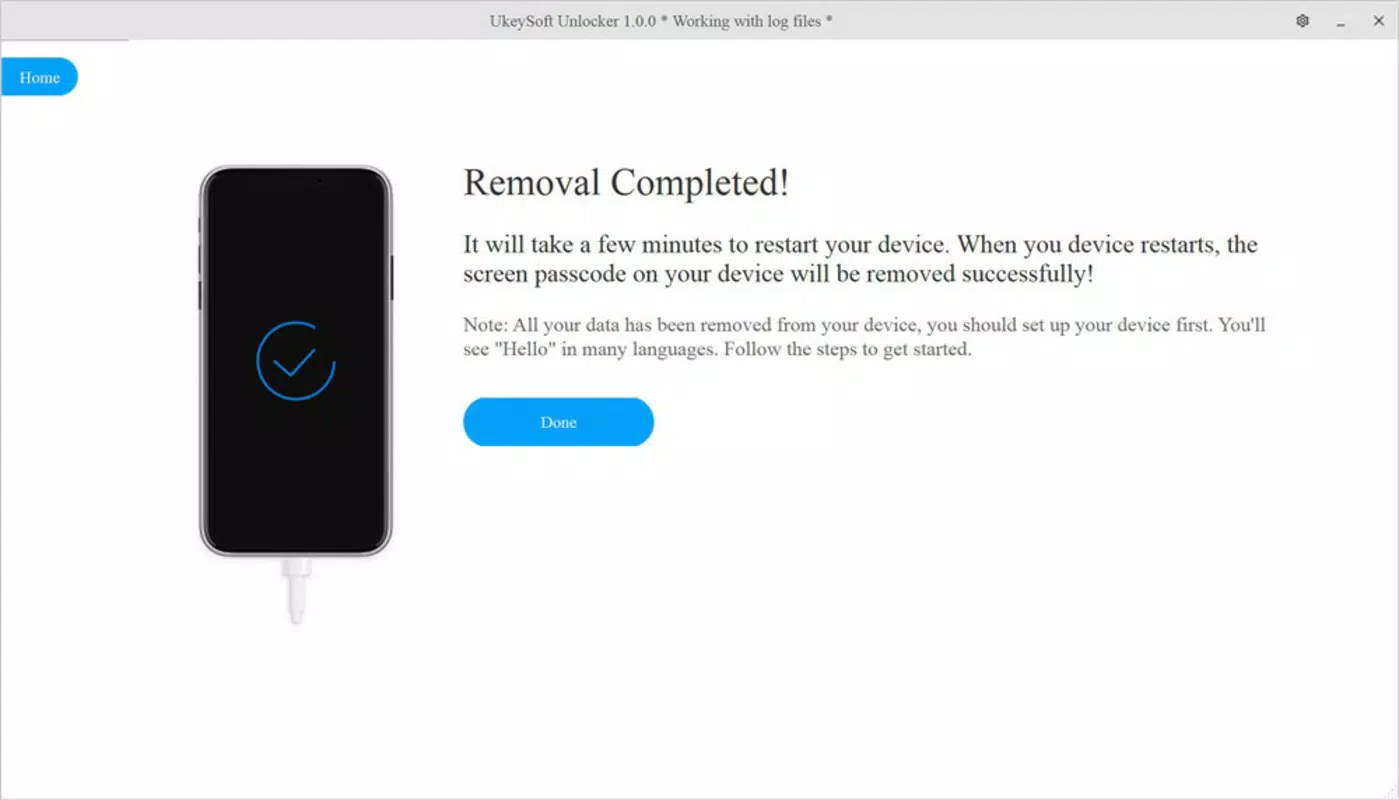
UkeySoft iPhone Unlocker presents a clean, straightforward interface optimized for ease of use on Windows systems. The layout is minimalistic, with clearly labeled buttons and step-by-step guidance to walk users through the unlock process. Navigation is intuitive, guiding users from device connection to final confirmation of success.
Upon launching the application, users are prompted to connect their iPhone or iPad via USB. The software detects the device automatically and initiates the appropriate recovery mode. The process is largely automated, reducing the risk of user error. Visual indicators show progress, and error messages are displayed in plain language when issues arise.
Although the developer did not list formal performance metrics, the application appears to function efficiently on standard Windows configurations. It operates with minimal system resource usage, allowing for smooth operation alongside other tasks. Responsiveness is consistent across different device categories, though specific testing across low-end and high-end systems was not disclosed. Stability during long processes, such as iCloud lock removal, was not detailed. However, the tool’s focus on automation and clear feedback suggests a stable user experience under typical conditions.
Platform Compatibility & Technical Requirements
UkeySoft iPhone Unlocker is designed exclusively for Windows platforms. It is compatible with Windows-based systems, though the specific operating system versions were not listed by the developer. The software has a file size of 22.4 MB, indicating a lightweight installation that does not require significant disk space.
The current version is 1.0.0.2022, released on May 10, 2022. This suggests the tool has been available for some time, with potential updates likely to maintain compatibility with evolving iOS versions. However, the developer did not specify minimum OS requirements, nor did they confirm support for newer Windows versions beyond the initial release.
As the application is not available on macOS or mobile platforms, users must rely on a Windows PC to utilize its functionality. This limitation may affect accessibility for users without access to a compatible Windows machine. Compatibility with the latest iOS versions was confirmed for iOS 13 and iPadOS 13.5, but no information was provided about support for newer releases beyond that.
Pros and Cons
Pros
- Efficient removal of screen passcodes, including biometric locks
- Enables Apple ID removal without original password
- Supports iCloud activation lock bypass
- Operates without iTunes or iCloud dependencies
- Lightweight installation (22.4 MB)
- Designed for use with iOS 13 and iPadOS 13.5
Cons
- Available only on Windows, limiting accessibility
- Specific OS requirements were not disclosed
- Version and release date suggest limited recent updates
- Does not support macOS or mobile platforms
- No information on long-term stability or performance under heavy use
FAQ
Is UkeySoft iPhone Unlocker safe to use?
The application is designed to operate within legitimate recovery scenarios. However, users should ensure they are the rightful owners of the device before proceeding. Unauthorized use may violate Apple’s terms of service.
Can I use this tool on a Mac?
No. UkeySoft iPhone Unlocker is only compatible with Windows systems. There is no version available for macOS or mobile platforms.
Does the software require an internet connection?
While the tool does not explicitly require an internet connection for core functions, certain operations may involve online verification or server communication. Specific details were not provided by the developer.
Will using this tool erase my data?
Yes. Performing a factory reset or bypassing activation locks will erase all data on the device. Users are advised to back up important information before using the software.
How often is the software updated?
The current version is 1.0.0.2022, released in May 2022. No information was provided about the frequency of updates or support for newer iOS versions beyond iOS 13 and iPadOS 13.5.
Final Thoughts
UkeySoft iPhone Unlocker stands out as a focused utility for users facing critical access issues with their iOS devices. Its ability to remove passcodes, bypass iCloud activation locks, and eliminate Apple ID associations without passwords makes it a valuable tool in recovery scenarios. While its Windows-only availability and lack of recent updates may limit its appeal to some users, its core functionality remains effective for its intended use cases.
Individuals who have forgotten their passcode, inherited a second-hand device with an active Apple ID, or are dealing with a broken screen will find this software particularly beneficial. The lightweight design and straightforward workflow enhance usability, even for non-technical users.
For those in need of a reliable, password-free solution to unlock a locked iPhone or iPad, UkeySoft iPhone Unlocker delivers a practical and efficient approach. Download UkeySoft iPhone Unlocker now to regain full access to your device.


